This site contains affiliate links. Purchases made through our links support us at no extra cost to you.
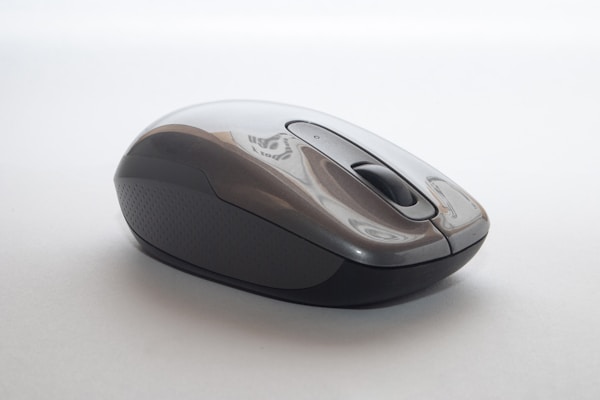
Logitech Pebble Mouse 2
Logitech

Logitech Pebble Mouse 2

Best Value
0 /100

Our Verdict

An excellent choice for those seeking a lightweight, portable mouse with solid build quality and impressive battery life. While not ideal for gaming, it excels as a productivity tool for everyday computing.

Detailed Scores

Ergonomics 82
Precision 78
Build Quality 85
Features 72
Value for Money 88

Pros & Cons

Pros

  • Extremely portable and lightweight design
  • Silent clicking technology reduces noise
  • Excellent battery life up to 18 months
  • Smooth optical tracking on most surfaces
  • Affordable price point for wireless quality

Cons

  • Not suitable for precision gaming or detailed graphics work
  • Limited customizable buttons for advanced users
  • Small size may feel cramped for users with larger hands
  • DPI adjustment requires Logitech software installation

Specifications

Connectivity 2.4 GHz wireless receiver or Bluetooth
Sensor Optical tracking sensor
DPI 1000 DPI
Buttons 3 buttons (left, right, scroll wheel)
Battery 2x AA alkaline batteries, up to 18 months
Weight 68 grams
Dimensions 95 x 63 x 28 mm
Color Off-white, graphite, or rose
Operating System Windows, macOS, Linux, Chrome OS
Warranty 2-year limited warranty

Where to Buy

Amazon.co.uk
Check price
Currys
Check price
John Lewis
Check price

We don't display prices to avoid showing outdated information. Click any link to see the current price directly on the retailer's site.

Frequently Asked Questions

Does the Pebble Mouse 2 work with Mac?

Yes, the Pebble Mouse 2 is fully compatible with macOS via both the 2.4 GHz wireless receiver and Bluetooth connectivity.

How long do the batteries last?

With standard AA alkaline batteries, the mouse can last up to 18 months on a single charge, depending on usage patterns.

Is this mouse good for gaming?

While it works for casual gaming, the Pebble Mouse 2 is not optimized for competitive gaming due to its low DPI and minimal features. It's better suited for productivity work.

Can I customize the DPI settings?

Yes, DPI adjustment is available through Logitech Options software, though the mouse is locked at 1000 DPI by default without the software.

What makes the clicking silent?

Logitech's silent clicking technology uses specially designed mechanisms to reduce noise by up to 90% compared to standard mice, making it ideal for shared workspaces.